Search This Blog

Showing posts with label Technology. Show all posts

Tech : Youtube in 3D

YouTube introduced a new feature in itself. Guess what, it’s now 3d! Yes finally this feature is available. It awesome for those who are big fan of 3d, include me.
For beginners starting with basics,

Q: What is 3D?
A: A 3D video is another type of video where you will get a feel of it being real.

Q: So what’s special about it? I find 2D videos real as well, like the one with baby laughing.
A: Yes that’s real as well, but in 3D you will feel like you are in there, with them, your baby for instance.

Q: Where will I get glasses for it?
A: That’s catch 22; YouTube is providing this feature without glasses as well! Here’s a demo http://www.youtube.com/watch?v=6RFuRY7azgA at the right bottom of video you will find a drop down menu (don’t ask me what’s that, please). If you have glasses, not problem, if you don’t, then also no problem, you can select Cross-eyed and then adjust your eyes for the fun.


Another question can be what is cross-eyed and how one does it. Well actually cross-eyed is a defect of vision, where alignment of eyes is not proper, see---------------------------->

But not to worry, you can try this and it won’t harm you, you might have difficulty doing it, but you will succeed for sure. Let me tell you how to be cross-eyed

Step 1: The image, I hope you can do that. No not with Photoshop, with your eyes, just try to focus behind it, far away. This way you will get four different blurred images. Keep your head straight.

Step 2: Now again slowly start to focus on the original image, but wait don’t fully relax your eyes. Keep your head straight.
Step 3: Probably you can make out which image is being made by what eye. Overlap the left image of right eyes and right image of left eye. And now more slowly try to get a focus on the overlapped images. Remember to keep you head straight.
Done! Voila! You get a 3D image, fully alive. At first you will have some trouble in adjusting an
d the image might break again and again, because your head is not steady or you reached to touch the screen.

Dont pressure too hard, you might look like this--------------------------->


more videos


My favorite


and many more...go here.........click!

Tech : Hacking History

Top Five (5) Best White Hat Hackers:

Hackers that use their hacking skills for good are referred to as "white hat" hackers. Often referred to as Ethical Hackers, these non-criminal hackers are hired by companies to examine and test the integrity of their systems. Other white hat hackers, operate without company permission by bending but not breaking the laws and int progress have created some very cool features. This article examines and selects the
Five Best Non-Criminal Hackers and the innovations and technologies that they have developed:

1. Stephen Wozniak


Nicknamed Woz, he is often referred to as the other Steve of Apple. Wozniak and Steve Jobs, co-founded Apple Computer. Woz started his hacking making blue boxes, which are devices that bypass telephone switching mechanisms enabling users to make free long distance calls. Woz and Jobs sold these blue boxes to their classmates in college and even used a blue box to call the Pope while pretending to be Henry Kissinger.

Wozniak dropped out of college and invented the compute that made him famous. Jobs had the idea to sell the computer as a fully assembled PC board. The idea was conceived and developed in Jobs garage. Wozniak and Jobs sold the first 100 of the Apple I to a local dealer for $666.66 each.

Woz currently focuses on philanthropy and no longer works full time for Apple. "Wozniak 'adopted' the Los Gatos School District, providing students and teachers with hands-on teaching and donations of state-of-the-art technology equipment."


2. Tim Berners-Lee

Berners-Lee is credited with being the inventor of the World Wide Web. Berners-Lee has been honored with numerous recognitions incuding the Millennium Technology Prize.

Berners-Lee was first caught hacking access codes with a friend while a student at Oxford University. He was then banned from the University computers.

Berners-Lee realized that hypertext could be joined with the Internet. Berners-Lee recounts how he put them together: "I just had to take the hypertext idea and connect it to the TCP and DNS ideas and – ta-da! – the World Wide Web."

Since his creation of the World Wide Web, Berners-Lee founded the World Wide Web Consortium at MIT. The W3C describes itself as "an international consortium where Member organizati
ons, a full-time staff and the public work together to develop Web standards." Berners-Lee's World Wide Web idea, as well as standards from the W3C, is distributed freely with no patent or royalties due.


3. Linus Torvalds


Torvalds fathered Linux, the very popular Unix-based operating system. He calls himself "an engineer," and has said that his aspirations are simple, "I just want to have fun making the best damn operating system I can."

Torvalds got his start in computers with a Commodore VIC-20, an 8-bit home computer. He then moved on to a Sinclair QL. Wikipedia reports that he modified the Sinclair "extensively, especially its operating system." Specifically, Torvalds hacks included "an assembler and a text editor…as well as a few games."

Torvalds created the Linux kernel in 1991, using the Minix operating system as inspiration. He started with a task switcher in Intel 80386 assembly and a terminal driver. After that, he put out a call for others to contribute code, which they did. Currently, only about 2 percent of the current Linux kernel is written by Torvalds himself. The
success of this public invitation to contribute code for Linux is touted as one of the most prominent examples of free/open source software.

Currently, Torvalds serves as the Linux ringleader, coordinating the code that volunteer programmers contribute to the kernel. He has had an asteroid named after him and received honorary doctorates from Stockholm University and University of Helsinki. He was also featured in Time Magazine's "60 Years of Heroes."


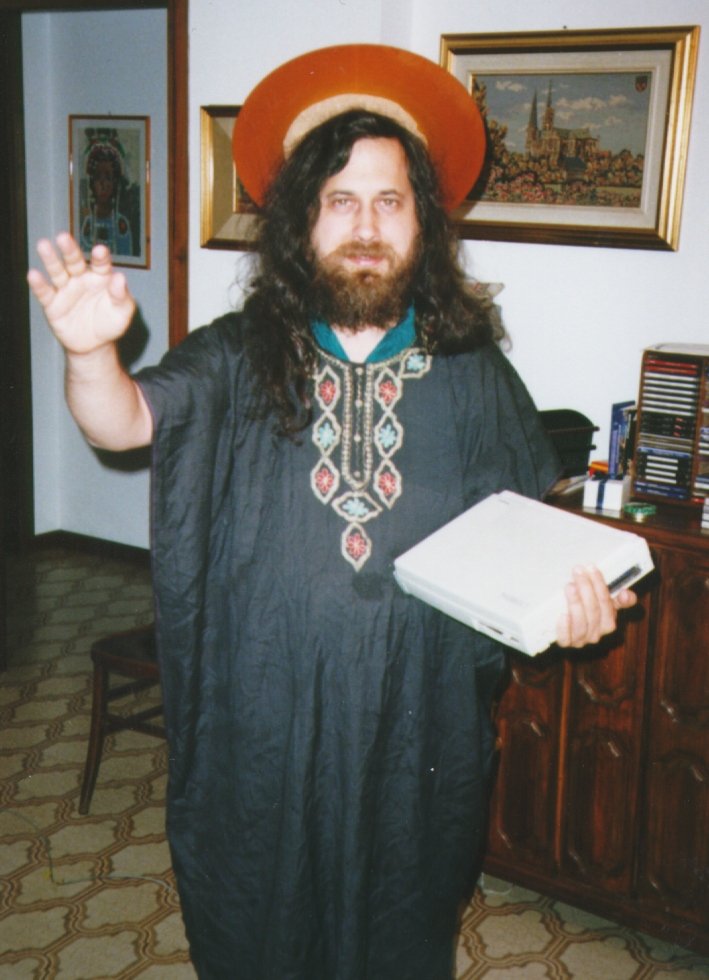
4. Richard Stallman

Stallman's fame derives from the GNU Project, which he founded to develop a free operating system. For this, he's known as the father of free software. His "Serious Bio" asserts, "Non-free software keeps users divided and helpless, forbidden to share it and unable to change it. A free operating system is essential for people to be able to use computers in freedom."

Stallman, who prefers to be called rms, got his start hacking at MIT. He worked as a "st
aff hacker" on the Emacs project and others. He was a critic of restricted computer access in the lab. When a password system was installed, Stallman broke it down, resetting passwords to null strings, then sent users messages informing them of the removal of the password system.

Stallman's crusade for free software started with a printer. At the MIT lab, he and other hackers were allowed to modify code on printers so that they sent convenient alert messages. However, a new printer came along – one that they were not allowed to modify. It was located away from the lab and the absence of the alerts presented an inconvenience. It was at this point that he was "convinced…of the ethical need to require free software." With this inspiration, he began work on GNU. Stallman wrote an essay, "The GNU Project," in which he recalls choosing to work on an operating system because it's a foundation, "the crucial software to use a c
omputer." At this time, the GNU/Linux version of the operating system uses the Linux kernel started by Torvalds. GNU is distributed under "copyleft," a method that employs copyright law to allow users to use, modify, copy and distribute the software.

Stallman's life continues to revolve around the promotion of free software. He works against movements like Digital Rights Management (or as he prefers, Digital Restrictions Management) through organizations like Free Software Foundation and League for Programming Freedom. He has received extensive recognition for his work, including awards, fellowships and four honorary doctorates.


5. Tsutomu Shimomura

Shimomura reached fame in an unfortunate manner: he was hacked by Kevin Mitnick. Following this personal attack, he made it his cause to help the FBI capture him.

Shimomura's work to catch Mitnick is commendable, but he is not without his own dark side. Author Bruce Sterling recalls: "He pulls out this AT&T cellphone, pulls it out of the shrinkwrap, finger-hacks it, and starts monitoring phone calls going up and down Capitol Hill while an FBI agent is standing at his shoulder, listening to him."

Shimomura out-hacked Mitnick to bring him down. Shortly after finding out about the intrusion, he rallied a team and got to work finding Mitnick. Using Mitnick's cell phone, they tracked him near Raleigh-Durham International Airport. The article, "SDSC Computer Experts Help FBI Capture Computer Terrorist" recounts how Shimomura pinpointed Mitnick's location. Armed with a technician from the phone company, Shimomura "used a cellular frequency direction-finding antenna hooked up to a laptop to narrow the search to an apartment complex." Mitnick was arrested shortly thereafter. Following the pursuit, Shimomura wrote a book about the incident with journalist John Markoff, which was later turned into a movie.


The Looking Glass

Smart Internet search will be able to do with a mobile device in the NEAR future
A mobile device with Touch screen, built in camera, scanner, WiFi, google map (hopefully google earth), google search, image search…

Like this way, when you can see a building through it, it gives you the image search result right on the spot.

Choose a building and touch a floor and it tells you more details of the building. You can use it when you want to know a car model, an insect name, what kind of food is served at a restaurant and how much, who built a bridge, etc. etc.

It's got a scanner built in.


so you can use it this way when you want to check the meaning of a word in the newspaper, book, magazine, etc. It would be much easier to read a real book. You can use the dictionary, wikipedia, thesaurus and anything else available on the web. What do you think.


Indoor guide:Works in a building, airport, station, hospital, etc.


Automatic simultaneous translation: here Latin to English.


Search keyword: Helpful when you want to find out a word from a lot of text in newspaper/book.


Nutrition: This kind of function would be helpful for health freaks..


Getting data of a weather forecast, maybe this might be possible.


well after all that...how about leaving some valuable comments :)
thanx in advance

Tech : Tweaks for Computers

Chat With Command Prompt

Chat With Command Prompt

If you want a private chat with a friend or client on you Network, you don't need to download any fancy program!
All you need is your friends IP address and Command Prompt.
Firstly, open Notepad and enter:

@echo off
:A
Cls
echo MESSENGER
set /p n=User:
set /p m=Message:
net send %n% %m%
Pause
Goto A

Now save this as "Messenger.bat". Open the .bat file and in Command Prompt you should see:

MESSENGER
User:

After "User" type the IP address of the computer you want to contact.
After this, you should see this:
Message:
Now type in the message you wish to send.
Before you press "Enter" it should look like this:

MESSENGER
User: 56.108.104.107
Message: Hi

Now all you need to do is press "Enter", and start chatting!


Create a shutdown/restart shortcut on your desktop !

Instead of going all the way, clicking Start>Turn Off Computer and
selecting Shutdown or Restart, create their icons on your desktop :

create a SHUTDOWN ICON like this :
Right click on an empty area on your desktop.
Select New>Shortcut.
In the first box of the Create Shortcut Wizard, type : Shutdown -s -t 00
Click Next.
Name the shortcut : Shutdown , and click Finish.
Then select an appropriate icon for it !

Similarly create a RESTART icon but follow the following step instead :

In the first box of the Create Shortcut Wizard, type : Shutdown -r -t 00
Click Next.
Name the shortcut : Restart , and click Finish.
select an appropriate icon for it now

Tech : Decrease boot time

Decrease boot time

I found that creating a script to run on shutdown that deletes the temp folder and history saved 2.5 seconds on my boot time, down do 10.5 secs.

Create a batch file by doing the following:

1) Open notepad and enter the following lines:

RD /S /q "C:\Documents and Settings\"UserName without quotes"\Local Settings\History"
RD /S /q "C:\Documents and Settings\Default User\Local Settings\History"
RD /S /q "D:\Temp\" <--"Deletes temp folder, type in the location of your temp folder"

2) Save the file and then name is something like deltemp.bat

3) Now click Start, Run and type in gpedit.msc --->Computer Configuration --->Windows Settings --->Scripts and double click on Shutdown --->Click Add and find the batch file you created and press OK to set the script


Speed up your computer:
Increase your L2 cache > Improve Performance >
Correctly set your level 2 cache and improve performance !!
Open Registry by going to START-RUN and typing REGEDIT...
Navigate to HKEY_LOCAL_MACHINE\SYSTEM\CurrentControlSet\Control\Session Manager\Memory Management\SecondLevelDataCache. Based on the kind of CPU you have, this value should change. Here are some of the defaults.
Intel Celeron - 128 , AMD Duron - 64. PII and Athalon: 512. Cyrix and AMD K6-3 256. Pentium IV-1024.
Figure out what your CPU type is and what L2 cache it supports and set it accordingly.

To disable right click on your computer..........
* Open Registry Editor (use 'regedit' command in Run)

* GO THROUGH FOLLOWING PATH....
HKEY_CURRENT_USER \ Software \ Microsoft \ Windows \ CurrentVersion \ Policies \ Explorer
* In right side pane create a new DWORD VALUE (Right click and choose New->DWORD value).
*Give 'NoViewContextMenu' as it's name.
*Set the value to 1.
*Now close the Registry Editor and Restart your system....
Now the right click is disabled in your computer.....Even the keyboard shortcuts also might not work.

To get the right click back....
* Open Registry Editor (use 'regedit' command in Run)
* GO THROUGH FOLLOWING PATH....
HKEY_CURRENT_USER \ Software \ Microsoft \ Windows \ CurrentVersion \ Policies \ Explorer
* In right side pane delete the DWORD value 'NoViewContextMenu'.
*Restart your system.
Now you got back your right click menu.